 4.7
4.7


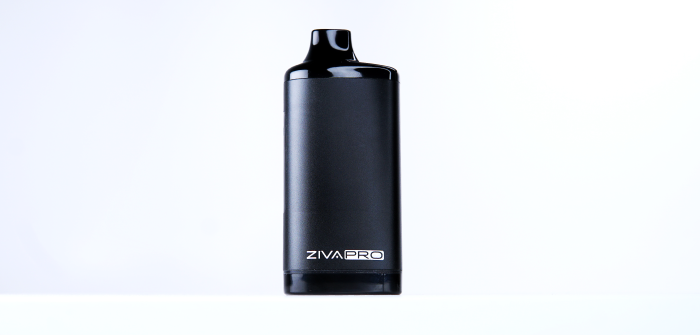
Yocan is a popular brand known for releasing portable vaporizers. Their philosophy is affordability and innovation. It’s hard to make innovative, affordable units; some designs are great for certain users, but largely depend on personal preferences.
The 510 thread battery under the scope for this review is the Yocan Ziva Pro, a smart vaporizer mod compatible with most 510-threaded cartridges. It is an updated version of their popular Yocan Ziva. Let’s dig into it to see if it’s worth the update or not.
Throughout our Yocan Ziva Pro review, we’ll discuss the Ziva Pro’s performance, pitting it against the Best 510 thread batteries. We’ll dissect its features, usability, and overall value, providing you with a comprehensive analysis that’s as detailed as it is discerning.
How It Works
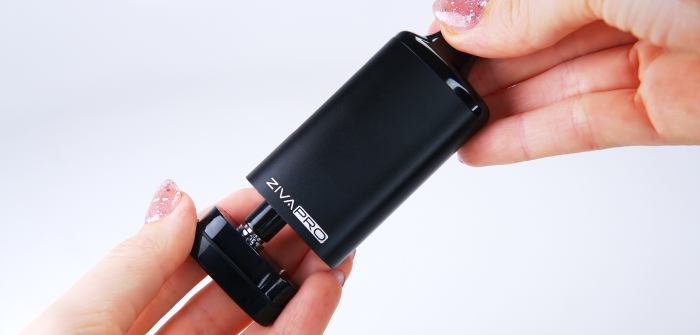
The Yocan Ziva Pro is a good choice for beginners for its ease of use. Like every other 510-thread battery, make sure you fully charge your device before use to get the most out of it.
Here’s how the Yocan Ziva Pro works:
- Step 1: Screw the correct magnetic adapter onto your cartridge.
- Step 2: Gently remove the mouthpiece from the magnetic atomizer base.
- Step 3: Place your cartridge into the heating chamber.
- Step 4: Quickly press the power button 5 times to power on your Yocan Ziva Pro.
- Step 5: Press the Power button 4 times rapidly to unlock the screen.
- Step 6: Tap the power button 3 times to start selecting a temperature; every subsequent tap will increase the voltage by 0.1.
- Step 7: Once you’ve selected the setting, you can double-press the power button to initiate preheating for 10 seconds.
- Step 8: The last step is to inhale from the mouthpiece. Do not hold the button while inhaling.
Overall, I think the Ziva Pro is average in terms of ease of use. The button system is pretty simple, but you will need to press the button at least 14 times to start your session, between turning it on, unlocking, setting a temperature, and preheating.
Manufacturing Quality
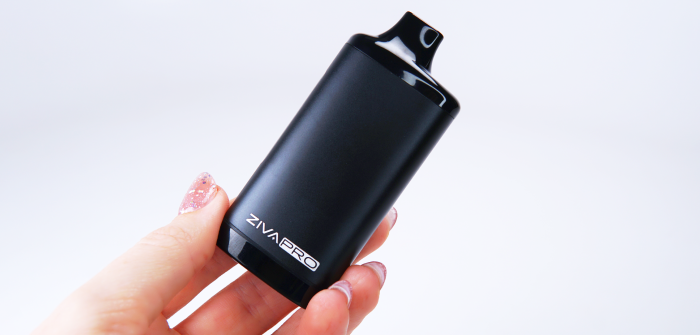
The Yocan Ziva Pro has a similar build quality to its previous version – Yocan Ziva. You will notice the same aluminum body and sleek design. The use of aluminum over plastic for the casing means it’s less prone to the wear and tear that often plagues its cheaper rivals. The magnetic connections and touch button functionality are also thoughtful additions that enhance the user experience by offering convenience and a degree of customization.
It also packs an OLED screen that displays relevant details for the user to see. On the display, you can check the battery level, the puff counter, and the voltage settings. The magnetic connection helps you attach and detach the cartridges easily and securely.
However, when we explore into the nitty-gritty of manufacturing quality, the Ziva Pro reveals itself to be commendable, yet not extraordinary. I would say it’s not as premium-looking or compact as Zeus ION, which brags a certain je ne sais quoi, perhaps attributed to its gold accents that exude a more luxurious feel. With that said, the Ziva Pro will get the job done, and the aluminum body puts it above many other competitors, just not at the top.
In a nutshell, the Yocan Ziva Pro is a solid, reliable option for those seeking a basic, no-frills vaporizer. It’s built to last and designed to perform, but it won’t turn heads with any groundbreaking features or exceptional build quality. For users who prioritize affordability, the Ziva Pro is a worthy choice.
Temperature Flexibility
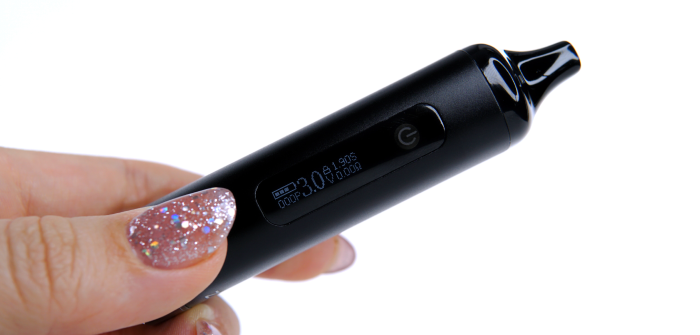
The Yocan Ziva Pro lets you change the heat from low to high, from 1.8V to 4.2V. It also has a 10-second pre-heat function for added convenience.
Adjusting the voltage can be tricky at first, but once you get used to it, you can start to appreciate the precise temperature control. Precise voltage adjustment has also become more nuanced in newer 510 Thread Batteries because the selected setting no longer tells the full story of how power behaves during a draw. Devices like the Zeus Ion Pro build on traditional voltage control through Smart Voltage Curve technology, which dynamically regulates output throughout the inhale itself to help maintain more stable vapor production as cartridge conditions change. The Ziva Pro keeps things more traditional, delivering the selected voltage directly without actively modifying output behavior throughout the inhale.
To start selecting a setting, you will need to tap the power button three times. A single tap on the power button will increase the temperature by 0.1V, while holding the button allows for a rapid temperature rise. Turning up the voltage on the Yocan Ziva Pro makes the vapor stronger and thicker. If you turn it down, you’ll get vapor that’s lighter and tastier. It’s all about finding what setting works best for you. But as there are no temperature presets, it’s hard to determine which voltage is better for what.
Most beginners will prefer temperature presets, as found on units like the Utillian 50. With that said, I think more experienced users could find the customizable temperature settings quite useful.
Portability
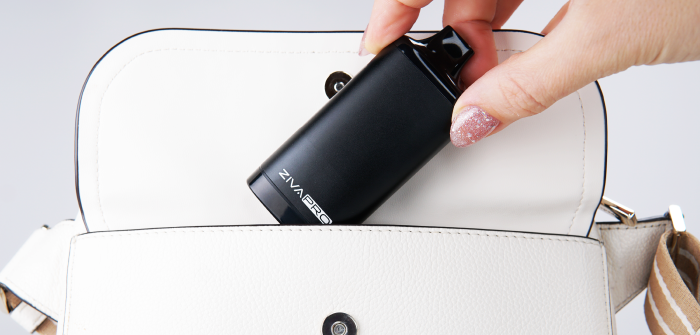
The Yocan Ziva Pro is a handy vape that’s easy to take with you. It’s small enough to fit in your hand, pocket, or bag. It measures 45 x 29 x 96 mm, which is pretty compact. It also keeps your cartridge hidden inside, which is more discreet than some other vapes that show the whole cartridge.
It’s great for carrying around, but it might not be the best if you need it to last a really long time or hold a lot of concentrates. Sometimes, it is a bit slippery. I wish it had a rubber grip to hold it. Another small problem is that the cartridge can get sticky after you use it a lot.
The Ziva Pro has a screen lock, which is good when you’re carrying it in your pocket. It doesn’t leak, and there are no buttons to worry about. The touch screen is also cool because it shows you a lot of info.
Overall, the Ziva Pro is not the most portable vape I’ve seen, but it will get the job done. Units that are more focused on portability like the Litl Bit or Zeus Ion generally have bigger batteries and smaller form factors, but then again, they dont have screens or displays. At the end of the day its up to you and your preferences.
Battery Life
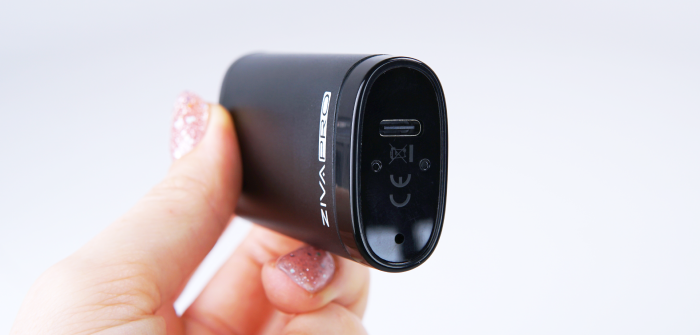
The Yocan Ziva Pro has a 650mAh battery that’s pretty standard for a vape of its size. It uses a USB Type-C port, which is great because it charges up faster than older USB types.
For people who don’t vape a lot, this battery will last a while. It means you can enjoy your sessions without having to charge all the time. That’s handy for peace of mind, especially if you’re out and about.
The Yocan Ziva battery works well for moderate or casual users, but heavy or frequent users might find it lacking in power and duration. Especially considering the futuristic display will definitely consume more battery than a unit that uses just LED’s.
Overall Experience
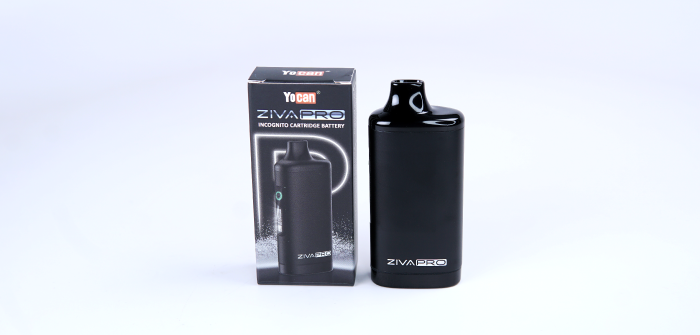
Overall, I think that the Yocan Ziva Pro is a step forward from its predecessor and can be a useful 510 Thread Battery for beginners. It’s somewhat user-friendly, but does have a small learning curve.
For the seasoned vaper, the Yocan Ziva Pro could serve as a reliable secondary device—a trusty backup for times when your primary unit is out of commission. However, if you find yourself on the fence about this particular model, I encourage you to explore our comprehensive 510-threaded battery ranking page. There, you can compare the Ziva Pro against the industry’s most acclaimed and consistent performers, ensuring you make an informed decision tailored to your vaping journey.
While the Yocan Ziva Pro’s battery life is commendable, it may not live up to the expectations of high-tolerance users. If longevity and cartridge capacity are high on your list of priorities, consider the Zeus Ion as an alternative. This unit boasts a more robust battery life and efficient vapor production, allowing for extended use without the frequent need to recharge.
I appreciate you taking the time to read our Yocan Ziva Pro review. Your feedback is invaluable, so please don’t hesitate to leave a comment with any additional insights or inquiries. And as always. Keep Vapin’!